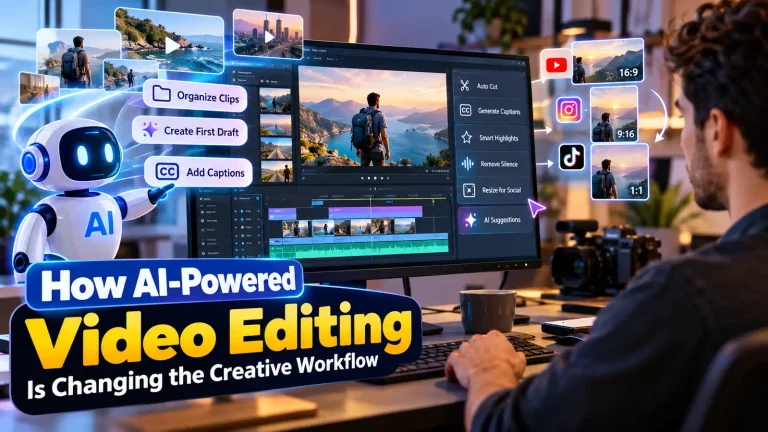
How Can an AI Video Editor with ChatGPT Help Celebrity Content Creators in 2026?
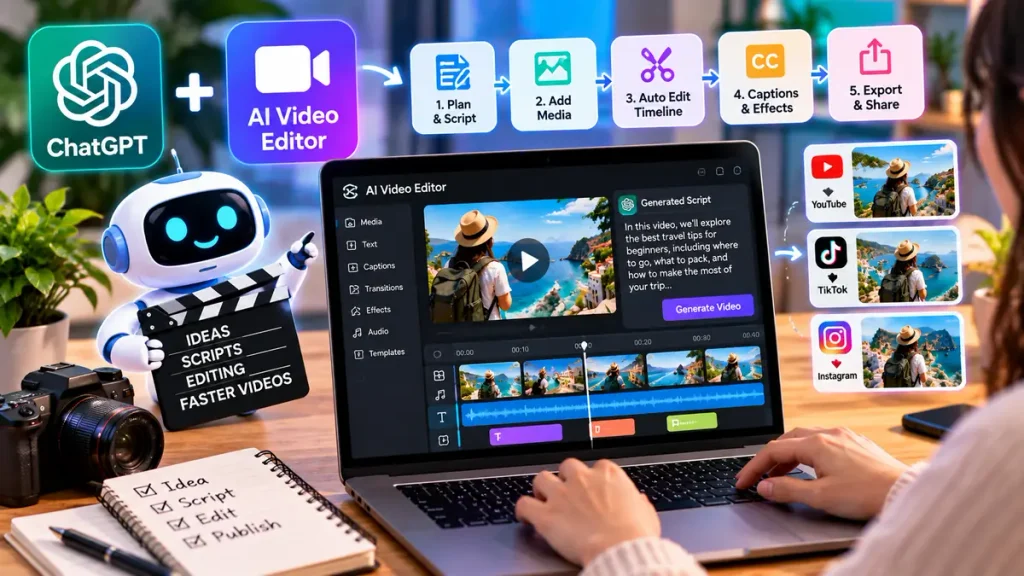
An AI video editor with ChatGPT lets you edit clips using plain text commands instead of fiddly menus and timelines. You describe what you want, “trim the intro, add captions, sync to the beat,” and the tool handles the technical steps. For fans and creators covering celebrity news, ethnicity features, and pop-culture moments, that speed is a real advantage. Trends move fast, and waiting hours on a manual edit means missing the wave. This guide explains what these tools are, how text-based editing works, and how you can use one to produce sharper entertainment content without a film degree.
What Is a ChatGPT-Powered Video Editor?
A ChatGPT-powered video editor is software that uses AI language models to read written instructions and apply edits automatically. Rather than dragging clips around a timeline, you type your request in everyday language.
Think of it as directing an editor who never gets tired. You say “cut the silent gaps” or “add a caption over the red-carpet clip,” and the tool interprets that and acts.
These editors blend natural language processing with familiar video tools. The AI handles the tedious steps, while you focus on the creative call. That shift makes editing approachable for beginners and far quicker for experienced hands.
How Does Text-Based Editing Actually Work?
The process is simpler than it sounds, and understanding it helps you get cleaner results. Most tools follow a clear path from raw footage to finished clip.
First, you upload your material. That might be interview segments, event highlights, or short fan-captured moments.
Next, you give instructions in plain text. The AI reads your request, maps it to specific editing actions, and applies them, trimming, captioning, adjusting pace, or reordering scenes.
Finally, you review and refine. You can tweak your wording, ask for a different style, or fine-tune individual sections. A browser-based AI video editor with ChatGPT from CapCut lets you try this text-driven approach without installing anything.
Use Cases for Celebrity and Entertainment Content
The real value shows up in daily content work. Entertainment creators juggle constant deadlines, and these tools help you keep pace with trending moments.
Common ways fans and creators put them to work include:
- Highlight reels: Cut a long awards show into a tight two-minute recap.
- Reaction edits: Layer captions and quick cuts over fan commentary.
- Feature explainers: Build short clips exploring a celebrity’s background or heritage.
- Tribute montages: Sync clips to music for a milestone or anniversary.
- Social snippets: Turn one interview into several platform-ready shorts.
The payoff is turnaround time. When a viral moment breaks, you can publish a polished edit while the topic is still hot instead of days later.
Benefits: Speed, Accessibility, and Consistency
Celebrity content moves quickly, and audiences expect a steady flow of fresh clips. Text-based editing gives creators a genuine edge in that race.
Speed is the obvious win. You produce more videos in less time, which keeps your feed active and your viewers coming back.
Accessibility matters just as much. A solo fan account can now reach the polish of a bigger channel without a full editing suite or a team behind it. That levels the playing field for niche pages.
Consistency ties it together. Once you find phrasing that produces your signature caption style or pacing, you reuse it across every post. That repeatability builds a recognizable brand look that fans start to associate with you.
AI Video Editor with ChatGPT vs. Traditional Editors
Traditional editors like Premiere Pro and Final Cut offer deep, precise control, but they carry a steep learning curve. A text-driven AI editor trades some of that control for speed and simplicity.
Here’s the difference in practical terms:
- Learning curve: Pro software takes weeks to master; text-based editing takes minutes.
- Speed: Manual timelines are slow; plain-text commands are near-instant.
- Control: Premiere Pro and Final Cut win on frame-level tweaks; AI editors win on quick drafts.
- Cost and access: Browser tools need no heavy hardware or expensive licenses.
The smart move isn’t choosing one forever. Many creators draft fast with an AI editor, then polish in traditional software only when a project truly demands it. Match the tool to the job, and you save serious time.
Practical Prompt and Instruction Tips
The quality of your edit depends heavily on how you phrase your requests. A few habits sharpen your output fast.
Be specific. “Trim the first five seconds and add a bold white caption with the star’s name” beats a vague “make it better.”
Work in steps. Break a big edit into smaller requests, cut first, then caption, then adjust pacing, so you can review each change clearly.
Common mistake: giving up after one weak result. What to do instead: treat the first version as a draft, adjust your wording, and run it again. When a prompt produces the look you want, save it so you can reuse it on future clips. Keep your source footage sharp too, since even smart editing can’t rescue blurry, shaky video.
Honest Limitations to Keep in Mind
No tool is flawless, and realistic expectations keep your work credible. Text-based editors are powerful, but they have real gaps.
Fine, frame-level control is still limited. For complex effects, precise color grading, or detailed sound design, traditional software remains stronger.
The AI can also misread vague instructions and produce edits you didn’t intend. Clear phrasing reduces this, but a quick review pass is always worth it.
Rights and ethics carry extra weight in celebrity content. Always check usage rights for footage and music, and avoid edits that could mislead viewers or misrepresent a public figure. Being accurate and fair, especially when covering someone’s heritage or personal story, protects both your reputation and the people you feature.
Conclusion
An AI video editor with ChatGPT gives entertainment fans and creators a faster, friendlier way to produce celebrity and pop-culture content. It turns plain text into polished edits, trims hours from your workflow, and lets small accounts compete with bigger channels. The strongest results still come from creators who write clear instructions, review each version, and respect footage and music rights. Tools like CapCut make this text-driven approach easy to test in your browser, while Premiere Pro and Final Cut stay useful for detailed polish. Match the editor to the task, keep your clips sharp, and try one short project this week.