How AI-Powered Video Editing Is Changing the Creative Workflow
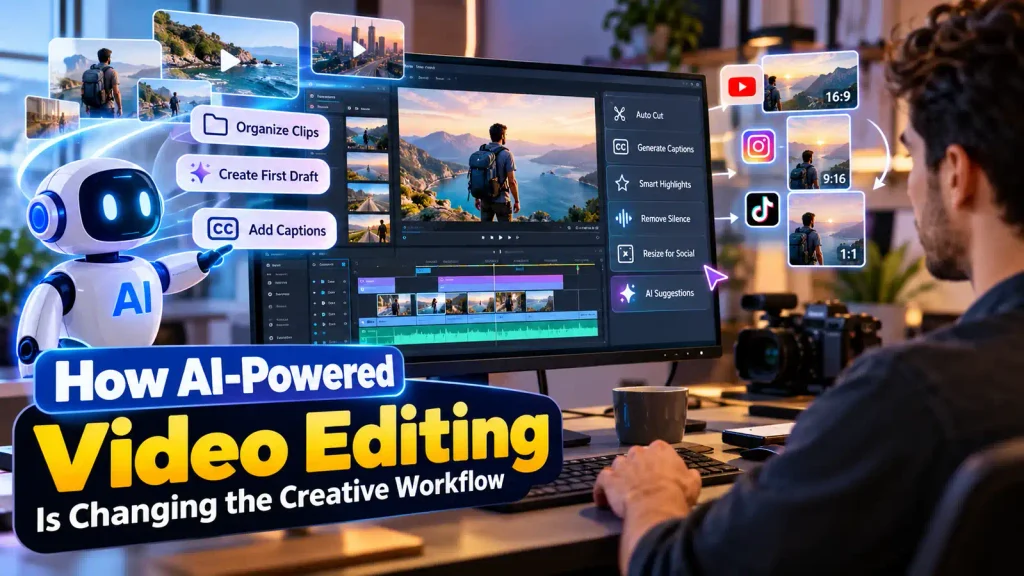
Editing video has never been quick. You need technical chops, a good creative eye, and honestly, a lot of patience. Most editors spend hours just going through footage — figuring out which clips are worth keeping, piecing them together, writing captions, balancing the audio, then doing it all over again for whichever platform the video’s headed to next. AI is starting to chip away at that grind, taking over the repetitive parts so creators can get from a rough idea to an actual editable draft a lot faster.
That doesn’t mean AI is pushing people out of the process. It’s more like having help with the organizing, the content selection, the captions, the pacing — the stuff nobody really enjoys doing manually. And that’s really what’s behind the growing buzz around tools like a AI image creator — it’s part of a bigger shift toward editing that feels more like a conversation than a set of menus.
Understanding AI-Assisted Video Editing
At its core, AI-assisted editing just layers machine-learning tools on top of the editing controls people already know. Instead of manually clicking through every single step, you can give instructions, upload your footage, or simply say what you’re going for in plain English.
Picture someone trying to turn a few hours of travel footage into a short highlight video. AI can flag the parts worth using, toss out the obviously unusable clips, string together a rough sequence, and throw in captions. Then the editor takes over from there — deciding on timing, transitions, the right music, the overall look and feel.
That first cut is usually the most draining part of any edit, so having a rough, organized starting point already assembled makes a real difference. It means creators aren’t starting from a completely blank timeline every time.
Natural Language as an Editing Interface
Probably the most interesting shift happening right now is that plain language is becoming the interface itself. Normally, editing software expects you to know your way around timelines, tracks, menus, effects — a whole learning curve before you even get started. AI adds a layer between what you want and all that technical machinery.
You can just describe the edit — how long you want it, which moments matter, how the scenes should flow, the pacing, the format — and the AI takes that and turns it into a first pass at an editing structure.
That said, it doesn’t make the editor’s job disappear. Plain language can be vague, and what the AI decides to do with it won’t always match what you actually had in mind. So human review still matters a lot, especially when you’re dealing with storytelling, facts that need to be right, brand guidelines, or anything sensitive.
Building an Editable First Draft
Here’s the thing that makes AI-assisted workflows genuinely useful: what comes out is a first draft you can still work with, not something you’re expected to just accept as-is.
The AI goes through your uploaded footage, picks out what looks relevant to your topic, and puts together a rough sequence. From there, it’s on the editor to go through the timeline, swap out clips that don’t quite fit, rearrange scenes, trim the fat, and fine-tune the pacing.
It really comes down to a balance — AI handles the tedious organizing, and the creator still gets to decide what the finished video is actually trying to say.
Captions and Accessibility
Captions are another place where automation genuinely saves time. Typing out dialogue by hand and lining it up perfectly with the video is tedious, especially once a project runs long.
AI can spit out a first draft of the captions for you to check over and clean up. That also opens the video up to more people — viewers who are deaf or hard of hearing, people scrolling with the sound off, audiences who speak a different language altogether.
But automated captions aren’t perfect by any stretch. Names, technical jargon, accents, background noise, people talking over each other — all of that can trip up the system. So it’s still worth giving everything a proper read-through before hitting publish.
AI and Different Video Formats
Hardly anyone’s just making a video for one place anymore. The same project might need a horizontal cut for the website, a vertical version for short-form platforms, and yet another edit for social.
AI-assisted workflows take a lot of the repetitive work out of adapting one video into several formats. Editors can pull the key moments from a longer video and reshape them into shorter cuts without losing the core message.
And it’s not just about aspect ratio — text placement, caption sizing, where the subject sits in frame, pacing, audio levels, all of that might need tweaking too. Automated tools give you somewhere to start, but every single version deserves a proper look before it goes live.
The Importance of Human Review
As good as AI has gotten, automated editing still isn’t the same as actual creative judgment. It might pick a technically perfect clip and completely miss why some quieter, less obvious moment is the one that actually matters to the story.
That’s where human editors earn their keep — reading emotional weight, cultural context, humor, whether the story holds together, the small visual details a machine just won’t catch.
So really, AI works best as an assistant, not as the one calling the shots. The best workflows tend to lean on automation for the boring, repetitive stuff and keep humans firmly in charge of the choices that actually matter.
Privacy and Responsible Use
Uploading your footage to an AI service brings up some privacy questions worth pausing on. Videos can contain faces, voices, private conversations, locations, documents — all kinds of identifying information.
It’s worth understanding how the platform you’re using actually handles your material, and being careful about sharing anything sensitive unless it’s genuinely necessary. Teams working professionally might also want clear rules around which files are allowed to touch external AI tools at all.
And being responsible goes beyond just privacy — it also means double-checking AI-generated captions, never passing off fabricated content as real, and making sure any music, footage, or images you’re using actually have the rights cleared for how you’re planning to use them.
The Future of AI Video Production
Where this is all heading is toward workflows where creators just describe what they want, organize their footage, generate a draft, and refine it — bouncing between plain-language instructions and the traditional editing tools they already know. And judging by what’s happening across the industry, AI isn’t staying on the sidelines as some experimental extra — it’s becoming a real part of professional editing setups.
None of this points to editors becoming obsolete. If anything, AI is just taking the repetitive grind off their hands, freeing up more time for the stuff that actually matters — storytelling, quality, craft. For beginners, it also makes the whole process a lot less intimidating to jump into.
At the end of the day, how much value you get out of AI video editing really depends on how thoughtfully you use it. You still need clear instructions, decent source material, careful review, and genuine creative input. Get all of that right, and AI turns into a genuinely useful production partner — while the final creative decisions stay exactly where they should, with the person actually making the video.